




 A little peace of mind.

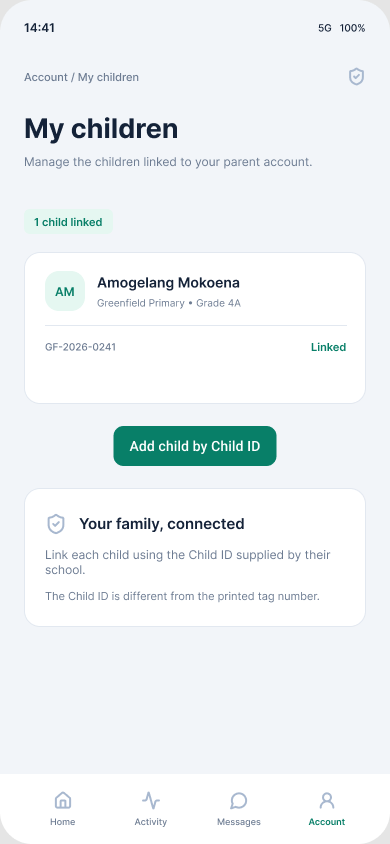
Link by school-issued Child ID
Enter the school and Child ID. A verified guardian contact match links the child, or the request goes to the school for approval.
 FOR PARENTS & GUARDIANS
One app for your children’s confirmed departure updates, school messages and the notification preferences that suit your family.
Designed for the school dayEnter the school and Child ID. A verified guardian contact match links the child, or the request goes to the school for approval.
Switch between linked children and see each child’s school, confirmed status and activity without mixing their records.
Know whether the latest confirmed event was Left class or Left school, with its original time and location.
Control classroom, gate and school-update alerts. Enable push and opt into WhatsApp with consent.
Read school-wide and class messages relevant to your children. Keep important updates in one place.
Opt into a widget showing the latest confirmed snapshot and timestamp. Refresh is scheduled by the phone’s operating system.
Sign into the parent app with a phone number and SMS verification code.
Enter the school and Child ID. Wait for a verified match or school approval.
Set channels and alert types, then view activity and school messages.
No. Learner details are shown only after a verified guardian contact match or school approval. Revoked links remove access and stop later notifications.
No. Network connectivity, offline reader review, providers and phone scheduling affect timing. Widgets show timestamps and a snapshot rather than guaranteed live tracking.
For learner records or an existing link, contact your school office. For a school introduction, start with a demo.
Book a school demo


